
 Pearl (PRL) is a revolutionary Proof-of-Useful-Work (PoUW) Layer-1 blockchain that turns artificial intelligence computations into mining. Instead of useless hashing, Pearl uses matrix multiplication (MatMul) - the main computational load of modern GPUs during neural network training and inference - as its Proof-of-Work.This is a true hybrid: you run real AI tasks (training neural networks) and mine PRL at the same time, getting rewarded for the exact same work. Pearl merges two of the most energy-intensive markets - AI computing and crypto mining - into a single protocol. Thanks to native GPU integration, Pearl brings profitability back to GPU mining in 2026. Now every kilowatt-hour spent on AI can simultaneously generate coins and secure the network.
Core Technologies of Pearl
- Proof-of-Useful-Work (PoUW) - Mining occurs through real matrix multiplications used in AI. Useful work = network security.
- Low-level MatMul optimization - A specialized kernel with low-rank noise allows useful computations and PoW with almost zero overhead.
- zkSNARK proofs - Provide privacy (miners’ models and data are not revealed) and compact Proof-of-Work.
- Post-quantum security -Support for XMSS and a Taproot-only architecture with a strong focus on protection against quantum computers.
- Bitcoin fork with improvements - UTXO model, Taproot addresses, OP_CAT, and an improved difficulty adjustment algorithm (WTEMA).
You can read more about the technical architecture and the whitepaper on the official Pearl Research Labs website.
Pearl Tokenomics
- Average block time: 194 seconds (≈ 3 minutes 14 seconds) - significantly faster than Bitcoin.
- Emission: Smooth polynomial curve (no sharp halvings).
- Total supply: 2,100,000,000 PRL.
- Premine: None.
- Mining algorithm: pearl-pow.
- Block reward: Block subsidy + fees (2664 PRL). Miners receive both the block subsidy and the ability to monetize their AI tasks.
Pearl was created to become the "Bitcoin of the AI era" - a coin whose value is directly tied to the growth of the artificial intelligence industry.
Useful Links
- Official project website (Whitepaper)
- Blockchain explorer
- Official wallet
- Project Twitter (X)
- Exchange to trade Pearl (PRL): Safetrade.com (current price ≈ $0.75)
- Recommended operating systems: HiveOS or Ubuntu Linux
- System requirements: Powerful NVIDIA GPU (preferably 5000, 4000 or 3000 series). AMD GPUs and other NVIDIA cards are also supported. CPU mining support was recently added.
Available Miners
- Alphaminer - Official miner from Alphapool. Supports NVIDIA and AMD GPUs. Miner fee: 1%. Available on Ubuntu Linux, HiveOS, and Docker. Separate AMD version available.
- SRBMiner - Popular miner that recently added PRL support. Miner fee: 3%. Works on NVIDIA GPUs under Linux.
- BzMiner (beta v25.0.0b2) — CPU mining for Pearl. Miner fee: 2%. Currently only CPU in beta. Requirements: 8 GB RAM + CPU with AVX512 support (can work without it, but much slower). Supports Windows and Linux.
- IpMiner (Ipminer tab) — Miner from Luckypool. 0% fee. NVIDIA GPUs only, Linux.
- Rgminer - Another GPU miner for Pearl. Miner fee: 5%.
Mining Pools
- AlphaPool - Largest pool, but higher fee (5%).
- PearlHash - Official pool of the coin. Fee: 3%.
- Luckypool - One of the largest pools. Fee: only 1%.
Hardware Hashrates
- Nvidia Geforce RTX 5090 = 320 Th/s * 575W.
- Nvidia Geforce RTX 4090 = 230 Th/s * 450W.
- Nvidia Geforce RTX 5080 = 183 Th/s * 360W.
- Nvidia Geforce RTX 5070 Ti = 144 Th/s * 250W.
- Nvidia Geforce RTX 4080 = 134 Th/s * 320W.
- Nvidia Geforce RTX 4070 Ti Super = 110 Th/s * 200W.
- Nvidia Geforce RTX 4070 Ti = 110 Th/s * 200W.
- Nvidia Geforce RTX 5070 = 108 Th/s * 250W.
- Nvidia Geforce RTX 4070 = 89 Th/s * 200W.
- Nvidia Geforce RTX 3080 = 82 Th/s * 340W.
- Nvidia Geforce RTX 5060 Ti = 79 Th/s * 180W.
- Nvidia Geforce RTX 5060 = 65 Th/s * 144W.
- Nvidia Geforce RTX 4060 Ti = 60 Th/s * 165W.
- Nvidia Geforce RTX 3070 = 58 Th/s * 240W.
- Nvidia Geforce RTX 3060 Ti = 48 Th/s * 240W.
- Nvidia Geforce RTX 3070 Laptop = 35 Th/s * 80W.
Profitability Calculators
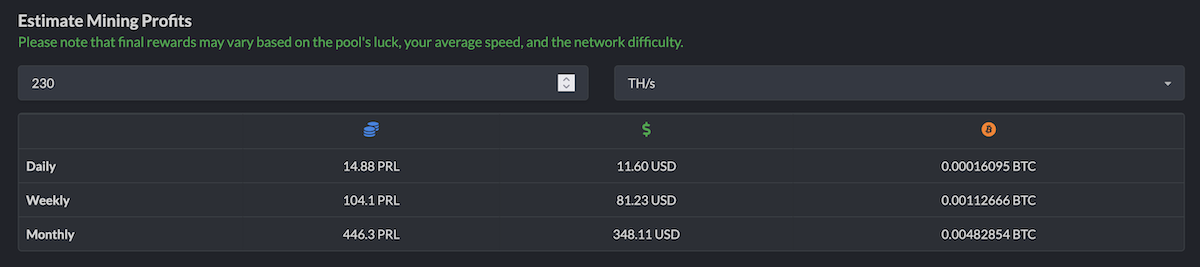
- Calculator Profit-Mine.com
- Calculator WhatToMine.com
- Calculator Hashrate.no
- Calculator LuckyPool.
Windows Mining Setup Guide
- Go to the exchange https://safetrade.com/ and register (if you don’t have an account).
- After registration, go to Assets → search for "PRL" → click Deposit. Generate a deposit address and copy it.
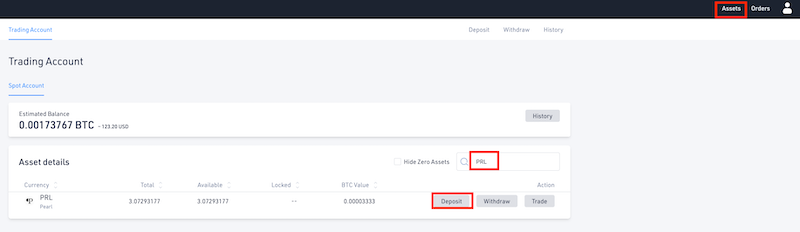
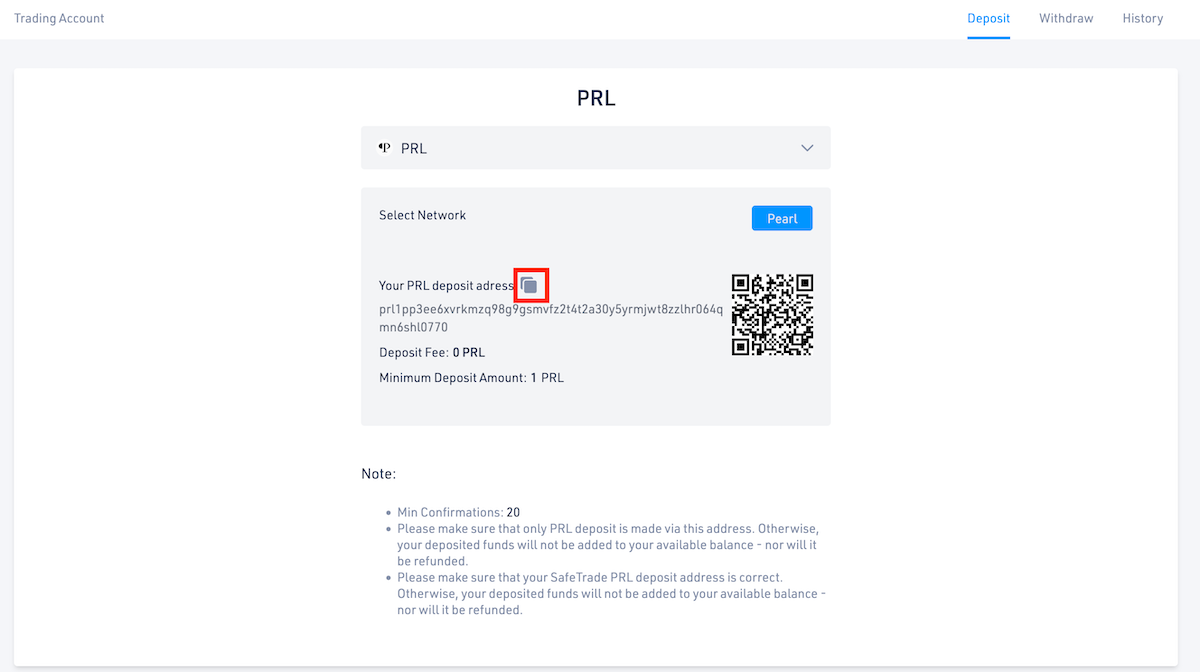
- Go to AlphaPool, scroll down and open the Windows (docker wrapper) tab. Download AlphaMiner-Setup-1.7.5-beta.20260529T043800Z.exe.
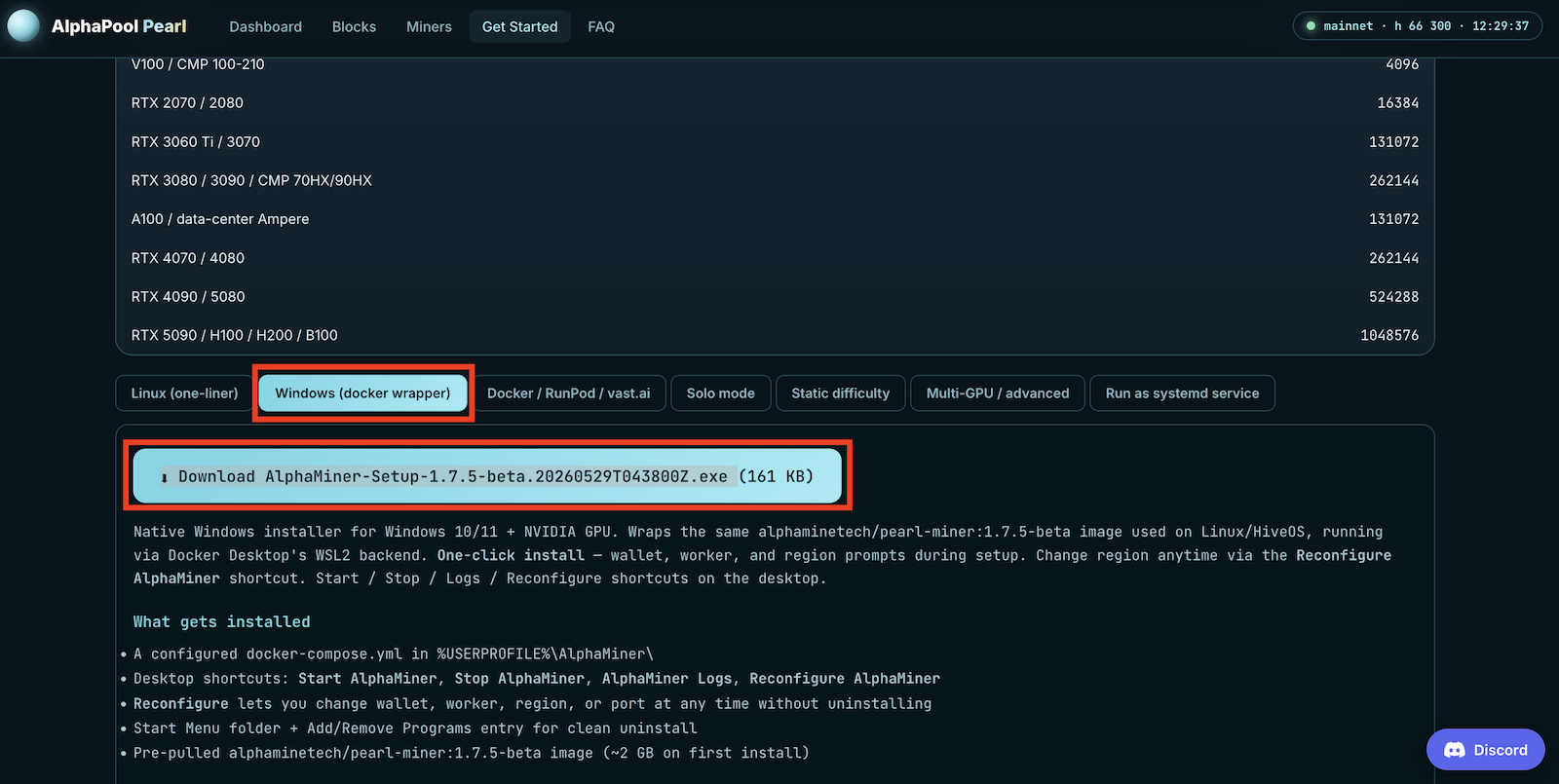
- Install the miner. After installation, you will see 4 shortcuts on your desktop: Reconfigure Alphaminer, Start, Stop, and View Logs.
- Important: To run the miner on Windows, you need Docker Desktop installed and hardware virtualization enabled in BIOS (Intel VT-x / AMD-V). Also make sure you have NVIDIA CUDA drivers version 545 or higher.
- On first launch, allow Windows to run the executable. Don’t forget to enter your PRL wallet address (from step 2) during setup.
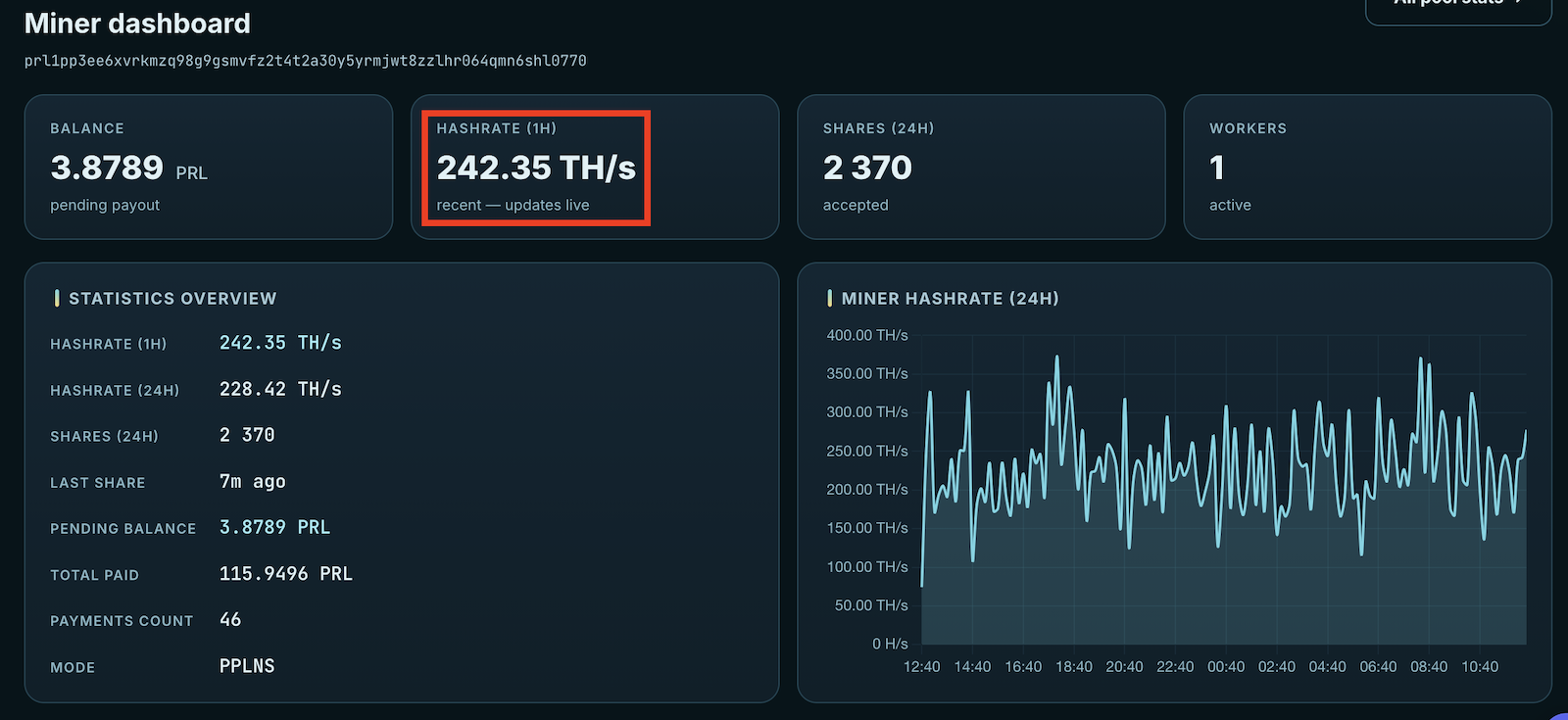
- To view statistics, enter your address in the LOOK UP YOUR MINER section and click View Dashboard.
- Update! A native Windows version of the miner has been released. Docker Desktop is no longer required. Download the archive, extract it, edit the .bat file in Notepad, replace the wallet address (set PRL_ADDRESS=prl1pYOUR_PRL_ADDRESS_HERE), save, and run the .bat file to start mining.