
 Vecno Blockchain (VE) is another fresh PoW coin that can be mined on video cards and central processors. Vecno is mined using its own MemHash algorithm and is already available for trading on the Safetrade exchange. Several third-party mining programs and pools for mining already exist. The coin is based on its own L1 blockchain, with a small premine (15 million coins out of 200 million). The block reward starts at 2 coins and gradually decreases, with a target block time of 1 second.
What is Vecno (VE)
Vecno (VE) is a decentralized blockchain with its own token, developed by the Vecno Foundation. It combines Proof-of-Work mining using the original MemHash algorithm, designed for mining on both GPU and CPU, and supports smart contracts and decentralized applications — making it a full-fledged L1 blockchain, not just a token.
Technologies and Consensus
- Algorithm: MemHash PoW
- Protocol: BlockDAG + PoW
- Supported hardware: GPU (NVIDIA/AMD) and CPU
- Network type: Layer-1 blockchain with smart contract support
- Block size [reward]: Initially 2 VE, then decreases according to the formula: current block reward = initial block reward (2 coins) * (1/2) ^ (current number of months since network launch / 24). As of January 28, 2026, the block reward is 1.943 VE; the next reduction to 1.877 VE is scheduled for February 20, 2026. The reward halves to 1 coin within 2 years.
- Target block time: 1 second
- Mainnet launch date: December 22, 2025
- Genesis block: https://vecnoscan.org/blocks/c69454cd390e28259b83880a25649d29ebcce41227a4a5bb851a243216781f31/
- Premine transaction: https://vecnoscan.org/transactions/64217c95120efa279740544b6085878d844aed637145b1548c6e08f26d14e89e/
- Maximum coin supply: 200,000,000 VE
The MemHash algorithm is specifically designed to reduce the advantage of potential ASIC hardware and allow mining on standard equipment (GPU/CPU), making the project attractive to "home miners."
Ссылки и ресурсы
- Website: https://vecnofoundation.org/
- BitcoinTalk thread.
- Source code on GitHub.
- Whitepaper.
- Discord.
- Twitter/X.
- Reddit.
- Mining calculator. (Profit-mine.com universal calculator. Read below for information on where to find information for calculating Vecno mining profitability. Updated: Appeared full calculator.
- Blockchain Explorer.
- GUI Wallet для Windows/MacOs/Linux.
Ecosystem and Community
The project is actively supported by the Vecno Foundation - a registered organization that manages network development, promotion, marketing, and technical support.
In addition, the following infrastructure is being developed in the ecosystem:
- Official block explorer
- Documentation and SDKs for developers
- Support for decentralized application (dApp) developers
- Activity in social networks and developer communities
Available Mining Software
- Vecno-Miner: Official miner (0% fee — Windows/Linux)
- VecnoDe: (0% fee — Linux — mining only on the pool Vecnopool.de)
- Opti-miner: (2.5% fee — Linux)
- MinerGirl: (2.5% fee — Linux)
- Vecnoski: For HiveOs, for Linux. 3% fee
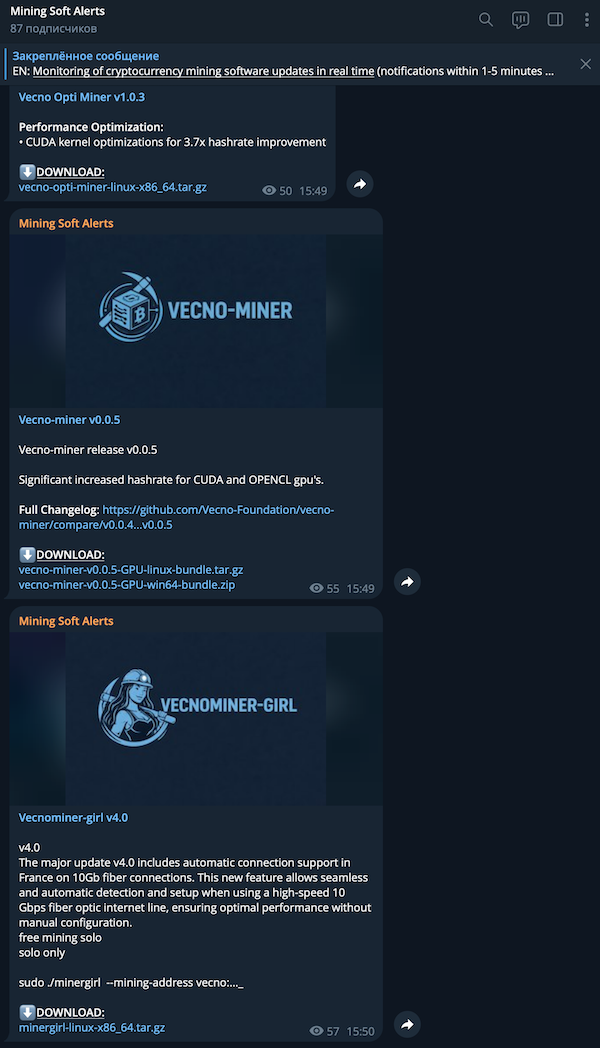
To quickly track new miner releases with improved hashrates, check the corresponding section on the site https://profit-mine.com/ru/top-mining-soft на вкладке "last releases" under the "latest releases" tab, or for maximum convenience and real-time updates, subscribe to our special Mining Soft Alerts channel on Telegram, where you can learn about new versions of supported software instantly.
Available Mining Pools
- vecnopool.de - the largest mining pool. 3% fee, supports mining on CUDA GPUs (NVIDIA) and OpenCL (AMD). Has its own miner (Linux).
- vecnopool.com - official pool.
- ninjsraider - PPLNS pool, 2% fee.
- ninjsraider-solo - Solo pool, 2.5% fee.
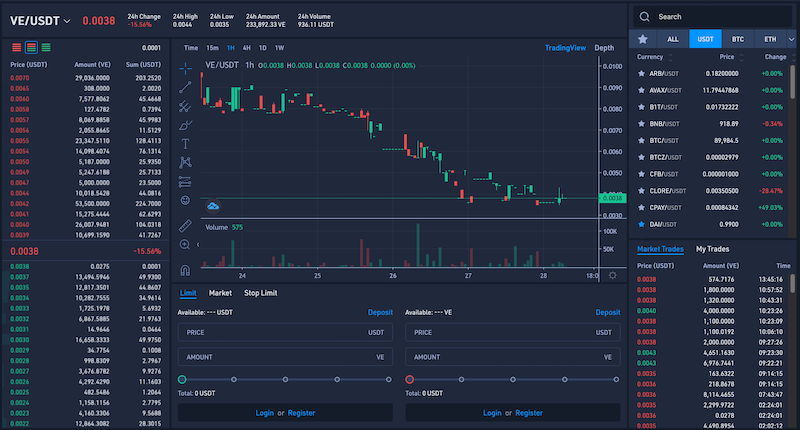
Where the Coin Is Traded
Approximate Hardware Hashrates
- Geforce RTX 4090 - 171.13 MH/s (467 W). (VecnoDe v0.0.10)
- Geforce GTX 1070 - 15.48 MH/s. (VecnoDe v0.0.8)
- Geforce RTX 5090 - 182.7 MH/s. (VecnoDe v0.0.8)
- AMD Radeon 7700 XT - 42.47 MH/s. (VecnoDe v0.0.8)
- AMD Radeon 7900 XTX - 90.60 MH/s. (VecnoDe v0.0.8)
- Geforce RTX 3070 Ti - 44 MH/s. (Vecno Opti Miner v1.0.0)
- Geforce RTX 4080 Super - 116 MH/s. (Vecno Opti Miner v1.0.0)
- Geforce RTX 5070 Ti - 79 MH/s. (Vecno Opti Miner v1.0.0)
- Geforce RTX 3080 - 62 MH/s. (Vecno Opti Miner v1.0.0)
How to Calculate Vecno (VE) Mining Profitability If You Know Your Hardware's Hashrate
- Go to the universal calculator page on Profit-mine.com.
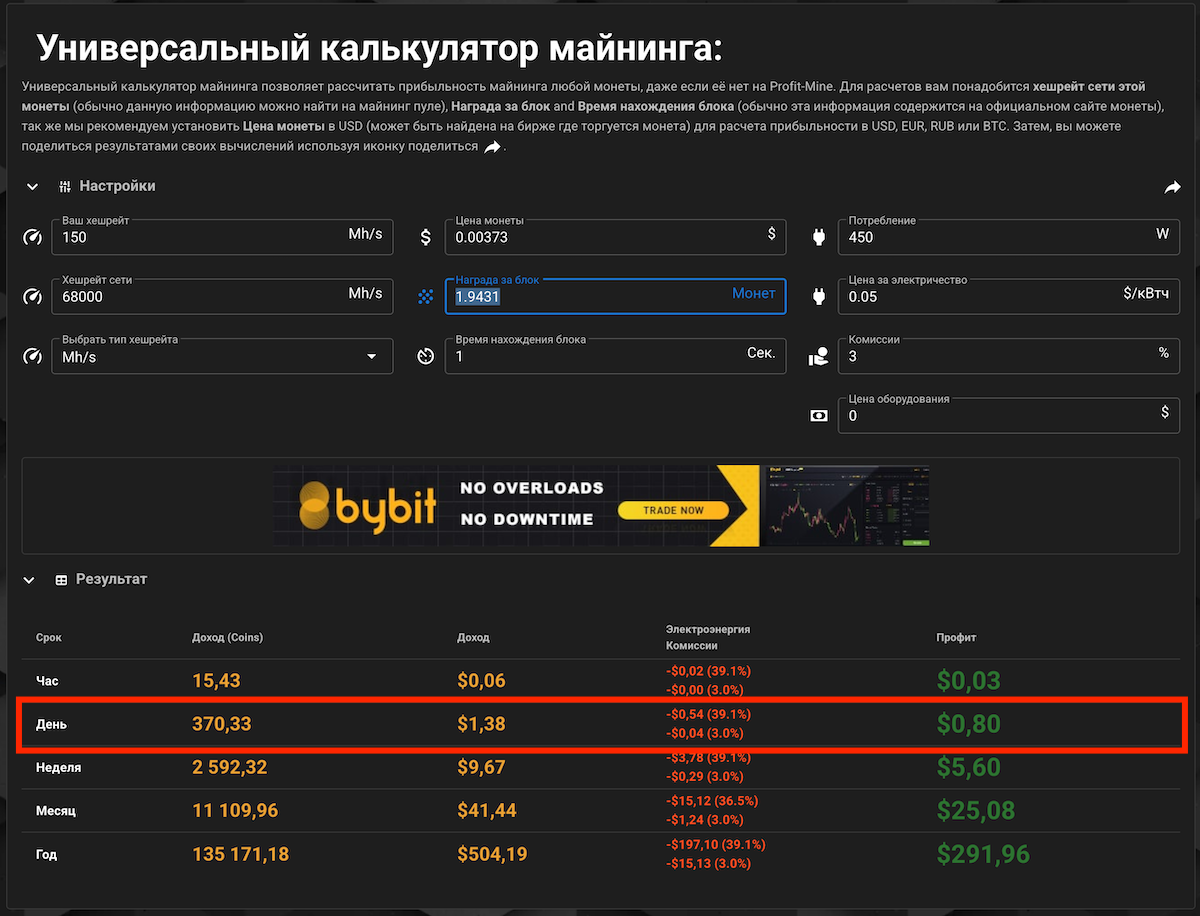
- Fill in the relevant fields: Your hashrate in MH/s (you can see it in the miner), Network hashrate in MH/s (check in the blockchain explorer at the top of the screen), Current coin price (see on the SafeTrade exchange website), Current block reward is 1.9431, Block time 1 second. You can also specify your hardware's power consumption, electricity price, and pool + miner fee (e.g., 3%).
- Example profitability as of January 28, 2026, 13:40 Moscow time.
- Update: A full dedicated calculator has appeared.
Instructions: How to Start Mining Vecno (VE) on Windows
- Vecno (VE) is mined using the MemHash (PoW) algorithm and is suitable for GPU (NVIDIA / AMD) and CPU mining. Below we will cover the classic option - GPU mining via a pool.
- Before starting mining, you need to create a wallet to receive rewards. Wallet options: Official GUI wallet Vecno and CLI wallet. We will use the GUI wallet version for Windows.
- Go to the wallet's GitHub repository from the developers and download the Windows version from the releases section. Download and run the version that does not require installation: vecno-wallet.exe.
- Create a new wallet address by clicking "Create New Wallet", specifying its name and setting a password.
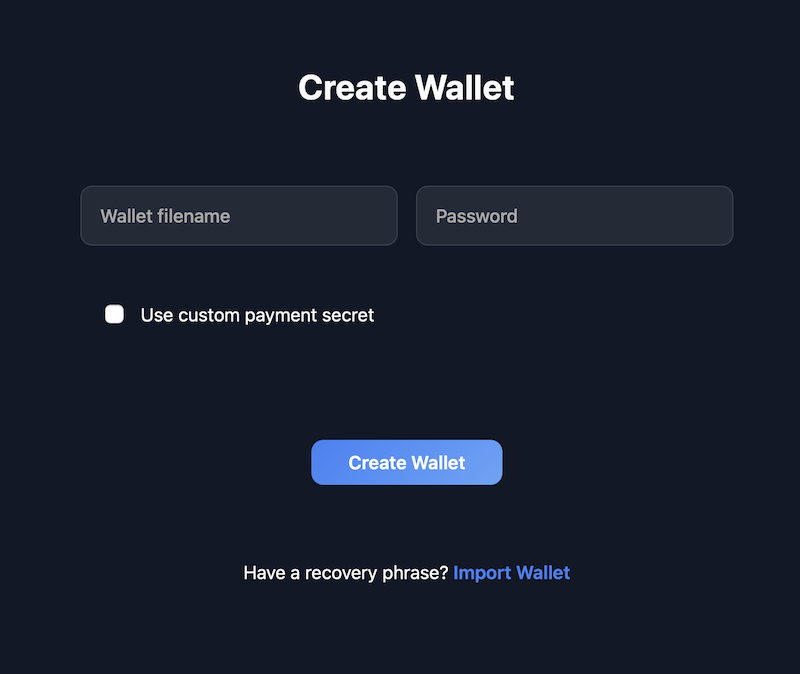
- Save the provided Seed phrase in a safe place so you don't lose access to the wallet in the future.
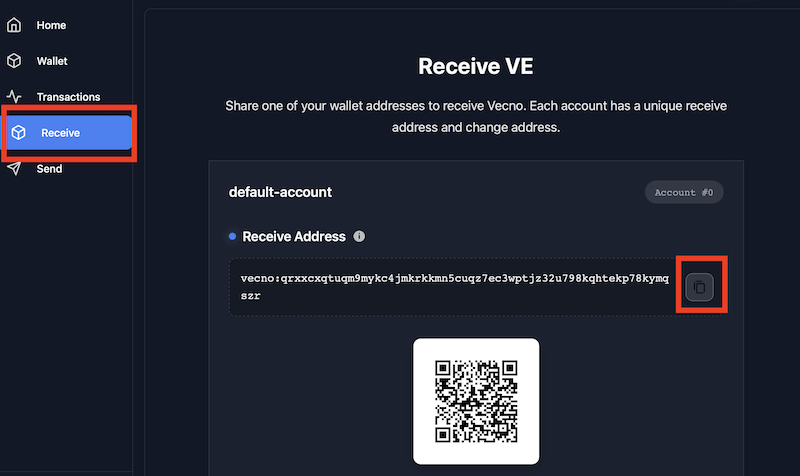
- Copy the wallet address — you will need it to configure the miner. To do this, go to the Receive section and click the copy address button to the clipboard next to the wallet number. Пример кошелька:
- Download the official miner from the developers - vecno-miner-v0.0.5-GPU-win64-bundle.zip (currently the only one supporting mining under Windows); alternative miners are only for Linux and HiveOS.
- Unpack the .zip archive and run the executable file vecno-miner.exe.
- On first launch, answer the questions in the setup wizard: specify your wallet address (from step 4), pool address (recommended: vecnopool.de), miner port: 6969, enable/disable GPU, CPU, NVIDIA (CUDA), and AMD (OpenCL) mining support, and come up with a worker name.
- After that, the mining process will start.
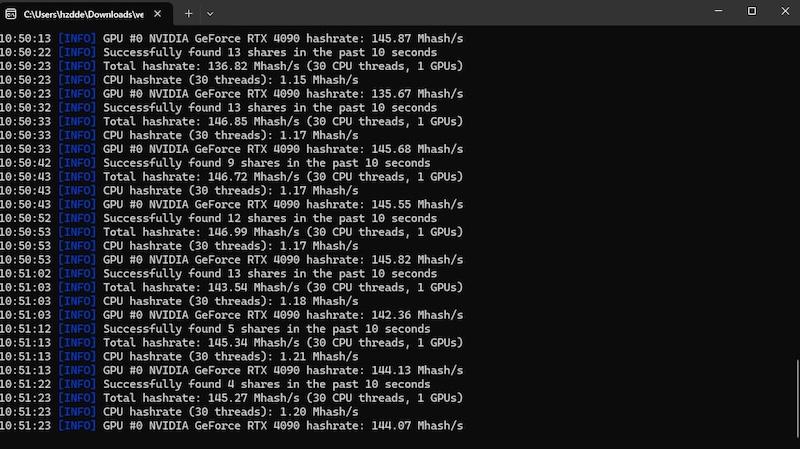
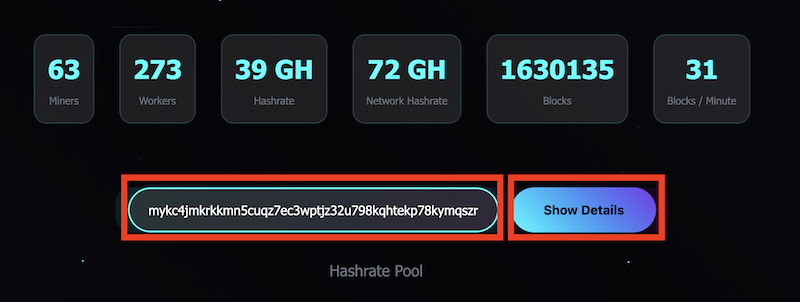
- To monitor mining statistics, enter your wallet address in the "Enter your address" field on the pool's website and click "Show Details". There you can also set the minimum payout size (default is 10 VE coins), which cannot be set lower — only higher.
Important Warning
Mining new coins and installing their wallets always come with elevated risks. Wallets and mining software from young projects may contain bugs or vulnerabilities, and sometimes even potentially malicious code.
It is not recommended to install such programs or run mining on the same computer or rig where you store your main cryptocurrency, use exchanges, or manage important wallets.
To reduce risks, use:
- A separate mining rig or clean OS
- Separate wallets without storing large amounts
- Cold wallets for main assets
Remember: mining new coins is an experiment and the user's responsibility. Potential profit should not outweigh basic security requirements.