
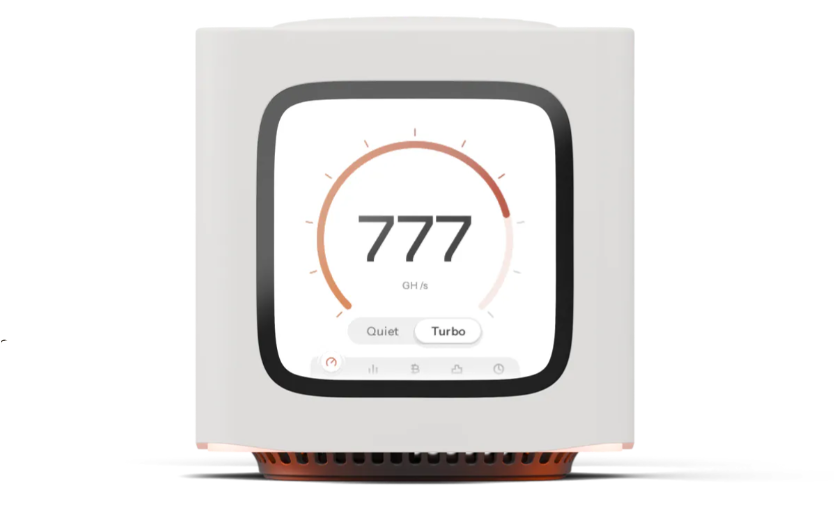
 The home Bitcoin mining market has a new addition: BitCube by Power Mining, a compact ASIC miner featuring a touchscreen display, Wi-Fi connectivity, and Solo Mining support. Priced at around $100, the device is designed for 24/7 home operation and does not require a separate computer for configuration or management. The main feature of BitCube is its ability to independently participate in the search for Bitcoin blocks using a small ASIC chip. But how effective is it, and can this miner become a source of income?
BitCube Technical Specifications
At its core, the device uses the Canaan Avalon A3197 ASIC chip, designed for SHA-256 computations, the algorithm used by the Bitcoin network.
| Specification | Value |
| ASIC chip | Canaan Avalon A3197 |
| Number of cores | 1,216 |
| Algorithm | SHA-256 |
| Turbo hashrate | Up to 777 GH/s |
| Quiet hashrate | Approximately 550 GH/s |
| Power consumption | 20–25 W |
| Chip efficiency | Approximately 18 J/TH |
| Connectivity | Wi-Fi |
| Display | 2.73-inch IPS touchscreen |
| Power supply | USB-C Power Delivery |
| Cooling | Heatsink and 50 mm fan |
| Dimensions | 74 × 74 × 80 mm |
BitCube uses a single ASIC chip, so its computing power is significantly lower than that of industrial mining equipment. However, its efficiency is approximately 1,000 times higher than that of some earlier similar solutions, such as the NERD Miner T Display S3 - a mini Bitcoin ASIC or an excellent gift for a miner.
It can also make an excellent gift for a Bitcoin mining enthusiast.
BitCube is built on the open-source Bitaxe architecture and offers functionality similar to other Bitaxe devices. However, it stands out with its stylish design and can double as a decorative clock or an information display in your home.
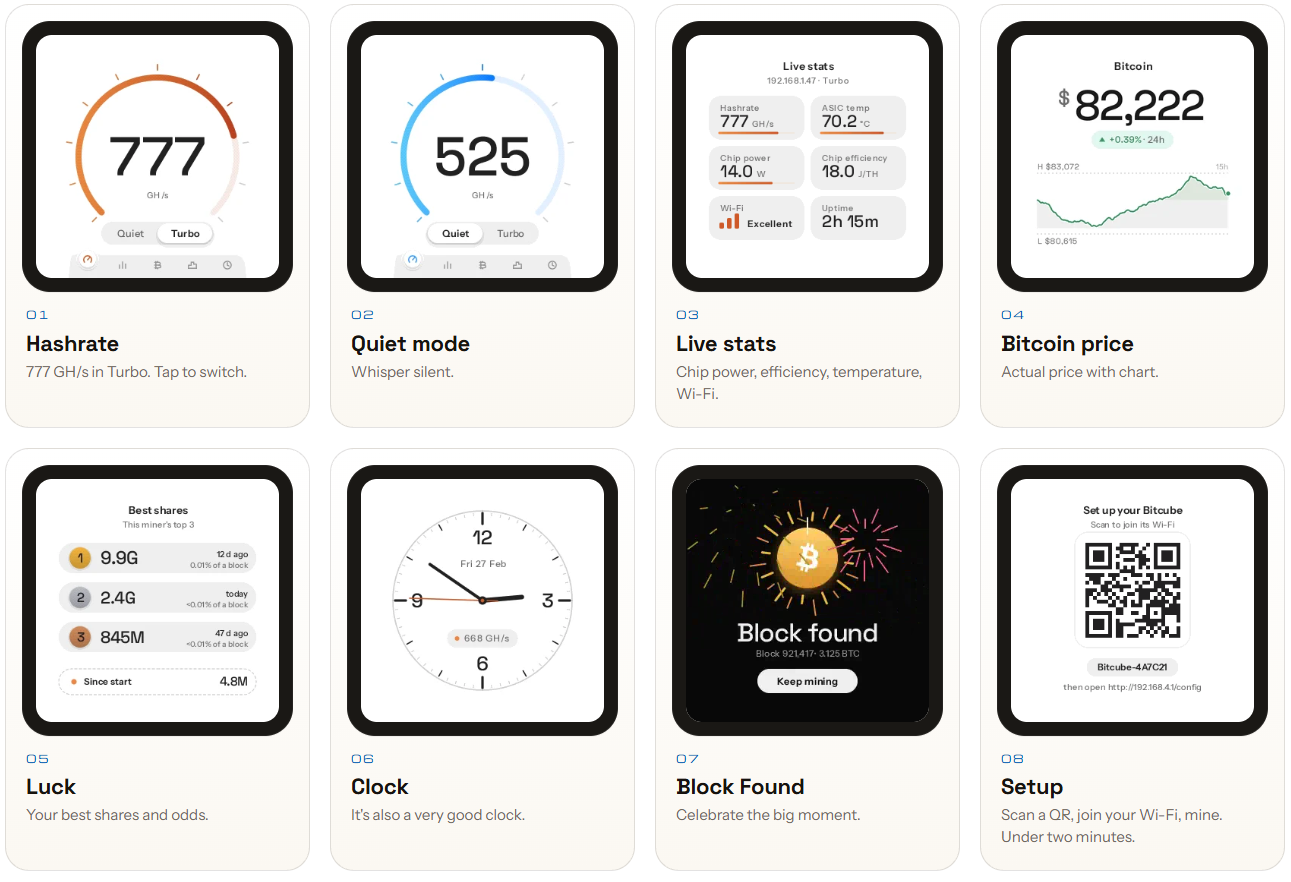
The device is designed for continuous operation while consuming relatively little electricity.
Mining Modes: Quiet and Turbo
The manufacturer provides two operating modes that can be switched directly from the touchscreen.
Quiet Mode reduces power consumption and noise levels. The hashrate is approximately 550 GH/s, making it suitable for 24/7 operation in a residential environment.
Turbo Mode delivers maximum performance, allowing the device to reach 777 GH/s. However, this also increases the load on the cooling system and power consumption.
The difference in hashrate between the two modes is approximately 41%. If your primary goal is to maximize the probability of finding a Bitcoin block, Turbo is the preferred option. For continuous operation with minimal noise, Quiet Mode is more suitable.
How to Set Up BitCube and Start Mining
One of the device's main advantages is that it can be configured without a computer or additional software.
The setup process is straightforward:
-
Connect BitCube to a power source using USB-C.
-
Scan the QR code displayed on the screen.
-
Connect the device to your home Wi-Fi network.
-
Access the management interface through the touchscreen or web dashboard.
-
Enter your mining pool settings and Bitcoin wallet address for receiving rewards.
-
Select Quiet or Turbo mode and start mining.
You can use standard Bitcoin mining pools that support ASIC miners and the Stratum protocol.
In the settings, you need to enter the pool address, connection port, and Worker credentials if required by the particular service.
BitCube also supports Solo Mining Pools, where the device independently participates in the search for Bitcoin blocks.
Solo Mining: A Chance to Win 3.125 BTC
The main use case for BitCube is Solo Mining, or independently mining Bitcoin.
Unlike conventional mining pools, where rewards are distributed among participants according to their contributed computing power, successful solo miners receive the entire block reward specified by the protocol.
As of November 2026, the reward for finding a Bitcoin block is 3.125 BTC plus transaction fees.
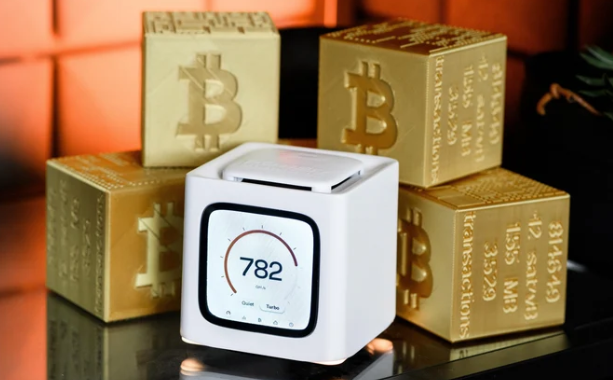
However, the probability of finding a block directly depends on the miner's share of the total computing power of the Bitcoin network.
At its maximum hashrate of 777 GH/s, BitCube contributes just 0.000000075% of the network's hypothetical total hashrate of 1,034 EH/s.
This means that the probability of independently finding a block remains extremely low. Even with 24/7 operation, the device could run for years without receiving any reward.
In this scenario, Solo Mining is more like a cryptocurrency lottery: every new hashing cycle provides another opportunity to find a block, but previous unsuccessful attempts do not increase the probability of success on the next attempt.
Can You Make Money with BitCube?
It is important to distinguish between two ways of using the device.
1. Conventional Mining Through a Pool
BitCube can be connected to a standard mining pool, allowing you to receive small payouts proportional to your contributed hashrate.
This is a more predictable option than Solo Mining because rewards are distributed among participants. However, with a hashrate below 1 TH/s, payouts will be extremely small.
2. Solo Mining
The second option is connecting to a solo mining pool. In this case, there are no regular payouts, but if your miner successfully finds a block, you receive the entire block reward.
This is precisely what makes BitCube interesting to crypto enthusiasts who want to independently participate in the search for Bitcoin blocks.
How Much Electricity Does BitCube Consume?
With power consumption of 20–25 W, the device uses:
-
Per day: 0.48–0.6 kWh.
-
Per 30 days: 14.4–18 kWh.
-
Per year: 175–219 kWh.
For example, at an electricity rate of $0.15 per kWh, operating BitCube would cost approximately $2.16–$2.70 per month.
Low electricity costs make it possible to run BitCube around the clock, but they do not automatically make mining profitable. Profitability depends on network difficulty, total hashrate, pool conditions, the price of Bitcoin, and, in the case of Solo Mining, your luck in finding a block that could more than cover all your expenses.
You can calculate your mining costs and potential profitability using the Profit-mine.com mining calculator.
BitCube vs. More Powerful Home Miners
BitCube is primarily designed for ease of use. However, there are alternative devices on the market that offer higher computing power.
For example, Bitaxe Gamma is aimed at enthusiasts who prioritize performance and the ability to customize their mining hardware.
BitCube has a different advantage: a built-in touchscreen, a ready-to-use management interface, two operating modes, and a compact enclosure.
Ultimately, the choice depends on your goals. BitCube is more appealing as a ready-to-use home device, while alternative ASIC boards may be a better choice for users looking to get more hashrate for their money.
Is BitCube Worth Buying?
BitCube is an unusual addition to the category of home Bitcoin miners. It combines a Canaan Avalon A3197 ASIC chip, Wi-Fi connectivity, a touchscreen display, and an integrated management system, allowing users to start mining without complicated hardware configuration.
However, you should not expect a stable income from a device with a hashrate of 777 GH/s. This level of performance is far too low for commercial mining, while Solo Mining does not guarantee that you will find even a single block throughout the device's entire operating life.
The main use cases for BitCube include:
-
Experimenting with Bitcoin Solo Mining.
-
Learning how ASIC miners and mining pools work.
-
Participating in Bitcoin block discovery with minimal electricity costs.
-
Running a home mining setup as a hobby.
-
Demonstrating SHA-256 computations and the principles of Proof of Work.
For more information, visit the official Power Mining website.
Verdict: BitCube is not a tool for generating passive income. Instead, it is an affordable way to try independent Bitcoin mining. Its main value lies not in guaranteed profits, but in the opportunity to participate in the search for a Bitcoin block with a chance of receiving the full 3.125 BTC block reward.
At the same time, it can serve as a stylish clock, a BTC price indicator, or a display showing information about Bitcoin blockchain activity.